

USERNAME OR EMAIL PASSWORD
Release Notes -- June 2010

New in Release 2.1

Crescendo Features

  • Individual Part Extraction and Printing
    • You can now work with individual parts from a score without changing the score in any way. Crescendo's Individual Parts feature lets you view, edit or print any combination of parts from a full score, with a shortcut command to quickly print out all parts on separate pages. Parts have their own separately controlled staff size.

  • Audio Mixing Panel
    • Crescendo now lets you change the volume and stereo position of each individual part. You can also mute and solo parts to hear any desired combination.

  • Guitar Tab Goodness
    • In Crescendo, you can now add string bends, releases, slides, hammer-on/pull-off, muted strings and numerous other guitar effects and articulations.

  • Colored and Hidden Notes
    • Crescendo's new color palette lets you apply colors to notes and symbols, or hide them completely.

  • String Instrument Techniques
    • Crescendo now supports arco, pizzicato and spiccato techniques for bowed string instruments, as well a string/palm muting for guitars.

Noteflight Features

  • Editing Palette Changes
    • We've split the advanced palette into several different pieces to make room for the new features introduced in this release. This provides for a cleaner, less cluttered design with more room for expansion.

  • Tempo Changes
    • At long last, you can change tempos during the course of your piece. Noteflight supports metronome markings with variable beat units and beats per minute.

  • Lines
    • Noteflight now supports many different kinds of line notations spanning multiple notes and measures, including 8va/8vb, piano sustain pedal, trills, and more.

  • Stemless Notes
    • A new stemless notehead style is perfect for scales and exercises.

  • Cue Notes
    • In Noteflight you can now create notes in a small size to represent cues from other instruments.

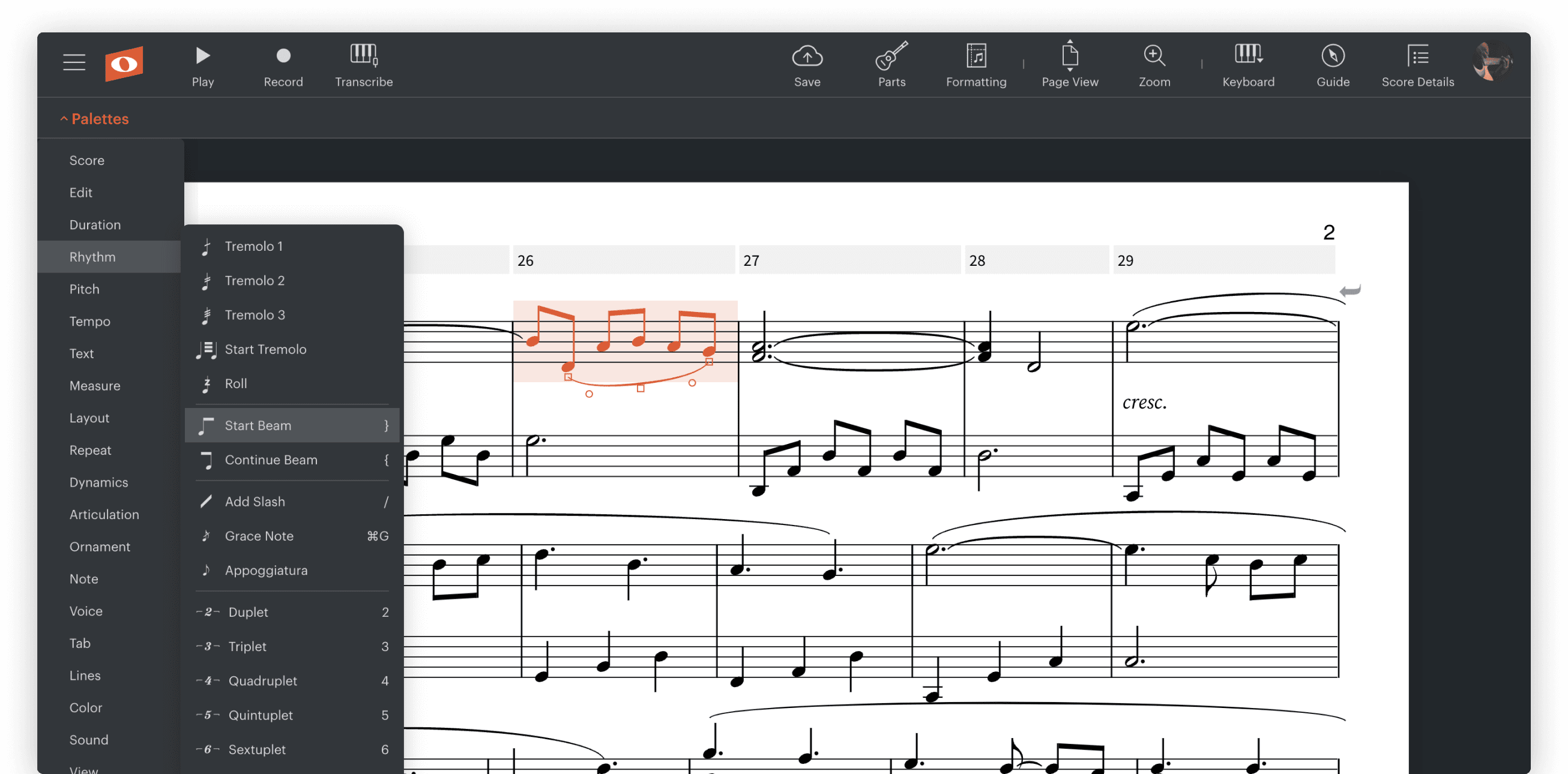
  • Single Note Tremolos
    • Tremolos on a single note are now available. They're good for drum rolls, among other things.

  • Copyright Footer
    • A footer on the first score page is now available to hold copyright and credits information.

Fixes and Improvements

  • Mouse wheel support on Macintosh
  • Much faster initial score display, score pages now only laid out when shown or played.
  • Major improvements to mouse-based note entry in situations where staves and other controls are positioned close to each other.
  • Improvements in MIDI file export.

New Features in Release 2.0

  • Playback of Repeats and Endings
    • Music with repeats and multiple endings is now played back with the correct musical form. This is the first part of a series of changes that will support other form-related notations such as coda, segno, and others.

  • Instruments
    • Playback in instrument panel
      • It is now possible to try out instrument sounds from within the popup that offers a choice of instruments, making the selection process much easier.

    • Crescendo Instruments
      • In Noteflight Crescendo, we now have over 50 instruments covering a wide range of instrument families. These instruments include a number of guitars and basses, available in both standard notation and tab.

  • Guitar Tablature (Noteflight Crescendo only)
    • Crescendo supports guitar and bass tablature, opening Noteflight up to a wide variety of new creative purposes and a broader audience.

    • Optional rhythm display
      • Noteflight can optionally show flags, beams, dots, rests and ties in tab notation, resulting in a type of tab that conveys more information and is intermediate between simpler forms of tab and conventional notation.

    • Copy and paste between regular and tab notation
      • You can easily move music back and forth between regular staves and tab staves, making it a breeze to create scores that use either or both formats.

    • Easily shift string and fret positions of any note
      • It's very easy to move notes on a tab staff to different strings while preserving pitch, or to simply change frets or octaves on any note.

  • Noteflight Crescendo Sharing Features
    • Share with Individuals
      • Crescendo allows you to share a score with only the users you want to be able to see it, and with the exact access that you specify for each person.

    • Activity Templates
      • Crescendo gives you the ability to create a special type of score that is automatically copied when other users open it. The copies are linked to the original so that you can look at them and collaborate or communicate with these other users' work.

  • Noteflight Crescendo New Score Templates
    • In Crescendo, you can pick from a library of common score types when you first create a score including typical ensembles and combos.

  • Login by User Name
    • It's now possible to log in using your user name as well as your email.

  • Parts Menu Rearrangement
    • We've moved some of the Parts submenu items up to the Score menu to make them easier to find.

  • Sound engine improvements
    • Our new playback engine is much faster and supports some important features that are not released yet but are on the way, like mixing and panning.

  • Flash Player 10 Requirement
    • Noteflight now requires Flash Player 10.

New Features in Release 1.4

  • Slurs and Hairpin/Wedge Dynamics
    • Slurs or phrase markings may now be applied to passages. They affect playback. The position and shape of each slur can be altered to place the slur exactly where desired.
    • "Hairpin" or "wedge" dynamics may now be applied to passages. Unlike slurs, hairpins do not affect playback. The position and slope of hairpins can be altered to place them exactly where desired.
  • Pickup bars are easier to work with.
    • We've improved the way that pickup bars (anacruses) work, so that it's a less cumbersome operation. Creating a pickup bar no longer generates extra bars that have to be deleted, and it automatically trims off the start of the full bar from which the pickup is created.
  • Score text notation improvements.
    • Performance text used to only belong to the top staff in a score. It can now go anywhere, and can be cut, copied, pasted, or dragged and dropped.
    • All flavors of text objects including performance text, expression text and dynamics may now be dragged in any direction to fine tune their position.
  • Improved playback of dynamics and accents.
    • A number of problems with dynamics and accents have been resolved. Dynamics on a grand-staff instrument such as piano now affect the correct set of staves depending on their placement. Also, a bug resulting in the omission of marcato-accented notes has been fixed.
  • Interval transposition affects entire score by default.
    • Transposing by an interval now affects the whole score if nothing is selected, since this is a sensible default.
  • Improved support for AOL browsers.
    • Noteflight now aggressively disables page caching for AOL, a problem which caused some customers to be unable to access their scores after logging in.
  • Detection of score document transmission errors to server.
    • The Noteflight server now checks that saved scores are valid, so as to detect and report a common problem caused by Mac OS Parental Controls in conjunction with Firefox.

New Features in Release 1.3

  • We've changed our navigation system a little bit.
    • Instead of My Scores, you'll see My Home, under which are tabs for Scores, Favorites and Profile. Other users' member pages have changed in a similar way, but without the Profile tab (since you can only change your own).
    • Instead of Browse Scores, you'll find Browse, under which are tabs for All Scores and Top Scores. The Top choice shows the scores with the most favorites that have been created in various time ranges.
  • Users can choose scores as "favorites".
    • When looking at a score by someone else that has been published for searching and browsing, you can make this score one of your "favorites". This puts it in a special list of favorites that is available on your home page.
    • When you are looking at a score that already has favorites, you can see which other users liked it. Clicking on a user's name takes you to their member page.
    • When looking at another user's member page, you can see their favorites list to find out what they like (and they can see yours, too).
    • The new Top Scores pages on Noteflight show which scores are the favorites of the most users in various time periods.
  • Users can add comments to scores.
    • Scores can now have any number of textual comments attached to them, separately from the music. You can always comment on your own scores, and you can delete any comments in your scores. You can also delete comments that you make in other users' scores.
    • Other users can't add comments to a score unless you allow this, by using the Sharing Panel to enable comments. Users must be signed in to comment, so that you can tell who made each comment.
  • User profiles now include Facebook and Twitter user names.
    • We're not going to reinvent social networking! Instead, we're now allowing our users to share their Facebook and Twitter user names on our site to make it easier to get in touch with each other, and to share info about what they're doing on Noteflight.
    • We're thinking about how to best integrate with services like these in the future for activity feeds, messages, and so on.
  • Everyone now has a default avatar.
    • Along with all the other changes, user images or "avatars" are now defaulted to a Noteflight logo if you don't supply your own.
  • Noteflight Learning Edition customers can now make an existing score into an activity template using the Sharing Panel.

Significant Bug Fixes:

  • Improvements in playback audio performance.
  • Improvements in overall website performance and scalability.

New Features in Release 1.2

  • MIDI files may now be imported into Noteflight.
    • MIDI type 0 and type 1 files can be imported into Noteflight. Rhythms are quantized, and users can control various aspects of quantization and interpretation via a set of options. Time signatures and key signatures are handled correctly. Unsupported features include triplet quantization, inferred key changes when no key signature is present, and tempo changes.
  • A set of important enhancements and extensions have been made to chord symbols:
    • Figured bass/basso continuo is now supported in regular chord symbols, which can now occupy more than one line of text. For instance, "6 b3" or "6" followed by "b3" on the next line will produce a figured bass of 6 and flat 3. Accidentals may be used standalone as one would expect, e.g "b" is a single flat. Note that this approach winds up supporting musica ficta and fingering notations too.
    • The same syntax can be used within a jazz/pop chord to produce the familiar "stacked scale degree" notations. So "C6 9" or "C7(b9 b13)" do what one would expect. Slashes can also be used here: "C6/9".
    • Chord symbols placed in a bass clef of a grand staff automatically appear below the staff, not above it.
    • The Tahoma font is now used for all chord symbols for increased clarity in the smaller sized scale degree numbers and accidentals.

Significant Bug Fixes:

  • Fixed assorted bugs in MusicXML import/export concerning nested tuplets, chord symbols and anacruses.
  • Fixed bug in WAV export that affected Windows Vista.
  • Fixed layout problems associated with lyrics in multivoice staves

New Features in Release 1.1

Major:

  • Scores can now be exported as MusicXML.
  • Add horizontal drag gesture that permits duration to be controlled directly during mouse note entry, without using the object palette.
  • Viola, cello, clarinet, bassoon, oboe and trombone have been added to the instrument library.
  • Improved Page View layout to prevent final systems from containing a single bar by itself.
  • Major improvements to layout and editing of multiple voices on a staff

Significant Bug Fixes:

  • Fixed problems with duplicate usernames during registration.
  • Fixed assorted bugs in MusicXML import.
  • Added missing European language characters to sans serif character set.
  • Fixed MIDI export to include correct General MIDI instrument patch numbers.
  • Chord symbols are now shown in correct transposed pitch during editing, when in non-concert-pitch mode.
  • Improved administrative UI for Learning Edition communities

New Features in Release 1.0

Major:

  • Release 1.0 supports all Noteflight Learning Edition features.
  • Drag-and-drop editing of individual notes, entire passages and entire score sections is supported. Any selected notes, staves or measures may be dragged horizontally to move them to a different point in time, making editing of rhythmic placement for notes and melodies much easier. Passages on a single staff may also be dragged vertically to move them to other staves.
  • Noteflight now supports export of MIDI files. These may be optimized for either musical performance, or for import into another notation editing program.
  • Noteflight now supports export of audio files in the WAV format. These audio files are identical to the performance of scores played within Noteflight.
  • The Noteflight text character set now includes characters for nearly all European languages including Greek and Cyrillic.
  • Many aspects of MusicXML translation have been improved.
  • Text in scores may now contain multiple lines.

Significant Bug Fixes:

  • Saving after session expiration is now handled by providing popup to log in again.
  • Problems with asymmetrical printing margins have been corrected.
  • Problems with mangling of transposed chord symbols have been fixed.

New Features in Beta Release 3

Major:

  • The new "Import" command allows MusicXML files to be imported into Noteflight, for Flash Player 10 and up.
  • Parts for transposing instruments can optionally be displayed and edited in their transposed keys.
  • Selected notes and passages can be transposed by named intervals, and enharmonic changes applied.
  • Cut/copy/paste work across different documents, including multiple windows open at the same time.
  • The new "Save As Copy" command permits a copy of any document to be saved.
  • Lyrics may be added to notes, including support for multiple verses.
  • Performance instruction text can be added to the score at any note, rest or barline.
  • Dynamics or arbitrary expression text can be added at any note/rest. Dynamics affect score playback.
  • If one or more staves are selected during playback, only those staves will be heard. This allows one to more clearly hear an individual part.
  • Swing eighth notes are supported, with any desired degree of swing.
  • Scores are automatically saved during editing to avoid possible loss of work.

Other changes:

  • Flexible layout adjustments can be applied to any measure by dragging barlines from side to side.
  • The keystrokes ( and ) work identically to [ and ], so that European keyboard layouts have a workable shortcut for rhythm change edits.
  • New playback speed adjustment works independently of tempo changes, allows non-authors to vary playback tempo.
  • Violin sound added
  • Object Editing Palette retains new relative position after being dragged
  • Approximately 200K smaller initial download.
  • Legacy audio playback mode available for situations where new FP10 Sound APIs do not function optimally

New Features in Beta Release 2.1

  • Automatically detects and makes use of Flash Player 10 Sound APIs, enabling steadier and smoother playback on all platforms.

For more information on other features, please see Noteflight Help

New Features in Beta Release 2

  • General improvements to chromatic transposition, including support for chromatic passage dragging with Shift key.
  • Better control of playback cursor during silent passages
  • Support for pickup bars
  • Show editing palette for changes to score and staff selections.

New Features in Beta Release 1

  • Tuplets: triplets, 4-against-3, quintuplets, etc.
  • Multiple voices per staff. Divisi parts and 4-part harmony in grand staff are now possible.
  • Selection of score and staff ranges by dragging mouse
  • Playback starting from any measure by clicking in measure marker
  • Auto-scrolling to maintain view of score during playback.
  • Draggable chord symbols

System Requirements

Flash Player 10.0.45.2 or greater is the recommended version for all Noteflight users. You can download the current version of the player from Adobe by clicking this link.

Noteflight is supported on the following operating systems and browsers:

  • Firefox 3.5+ (MacOS, Windows, Linux)
  • Internet Explorer 7 and 8 (Windows)
  • Safari 3 and 4 (MacOS)
  • Opera 9 (MacOS, Windows, Linux)

Known issues and limitations

Very large MusicXML scores don't import properly, or at all

We're working on improving Noteflight's ability to handle scores with many parts or many measures. At the time being, very long scores or scores with over 20 parts may not import properly from MusicXML.

Some keyboard shortcuts do not work in Internet Explorer

On Internet Explorer for Windows, the Ctrl key is not correctly detected in combination with certain keys that correspond to browser menu commands on the File and Edit menus, specifically C (Copy), X (Cut), V (Paste), S (Save), Y (Redo) and Z (Undo) . As a workaround the mouse may be used to select the menu items in question.

Only one paper size and format is supported

Only US Letter size paper and portrait orientation is available for printing.